
The 24-hour rule: when you need a template
Why the reply box locks after 24 hours and how to restart the conversation.
Inbox2 steps·1 min read
- 1
Understand the rule
WhatsApp lets you send free-form messages only within 24 hours of the customer's last message. After that the reply box is replaced by a 24 Hour Limit notice.
app.swiftcampaigns.com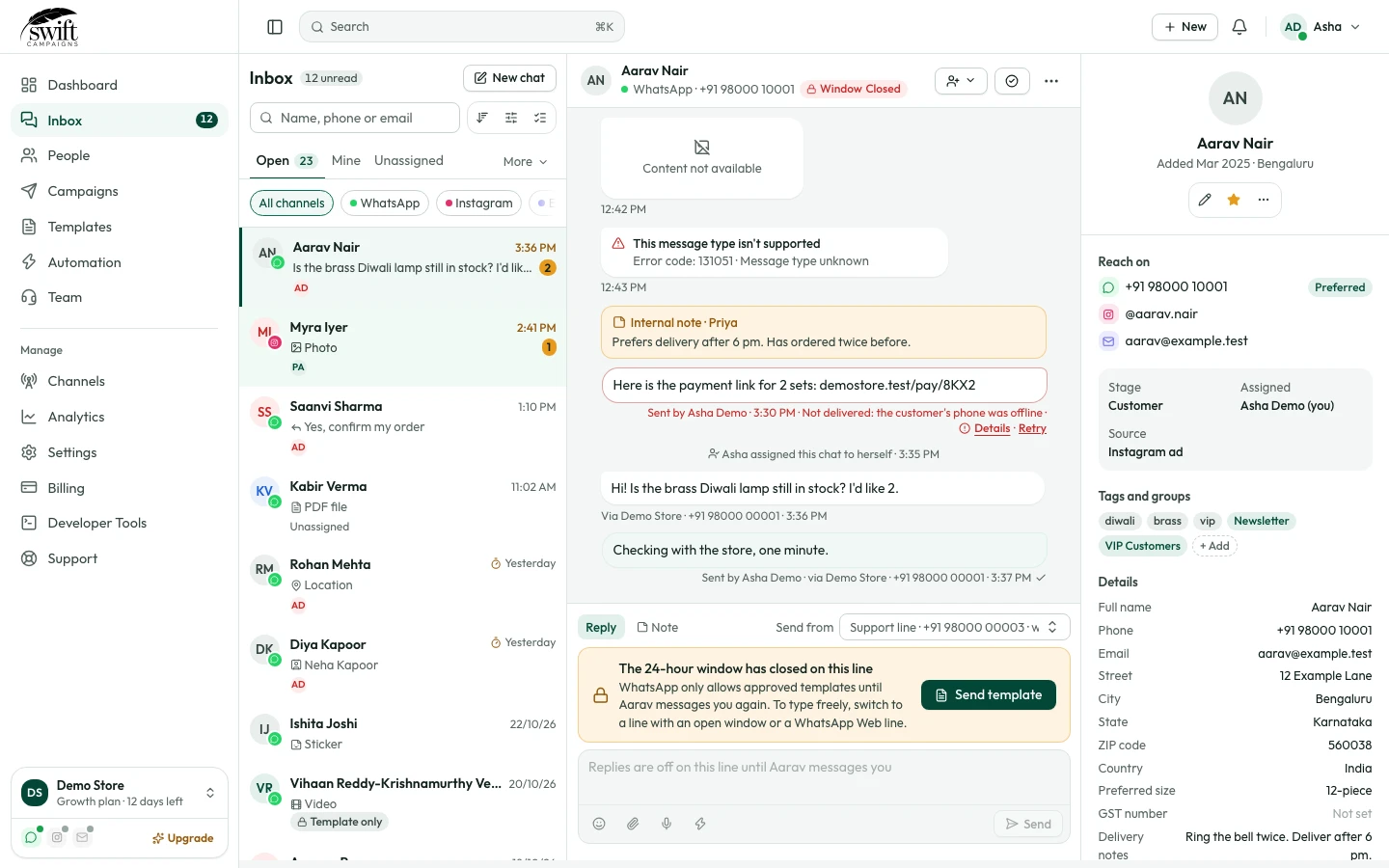
- 2
Send a template
Click Send Template, choose an approved template and send it. When the customer replies, the 24-hour window opens again.