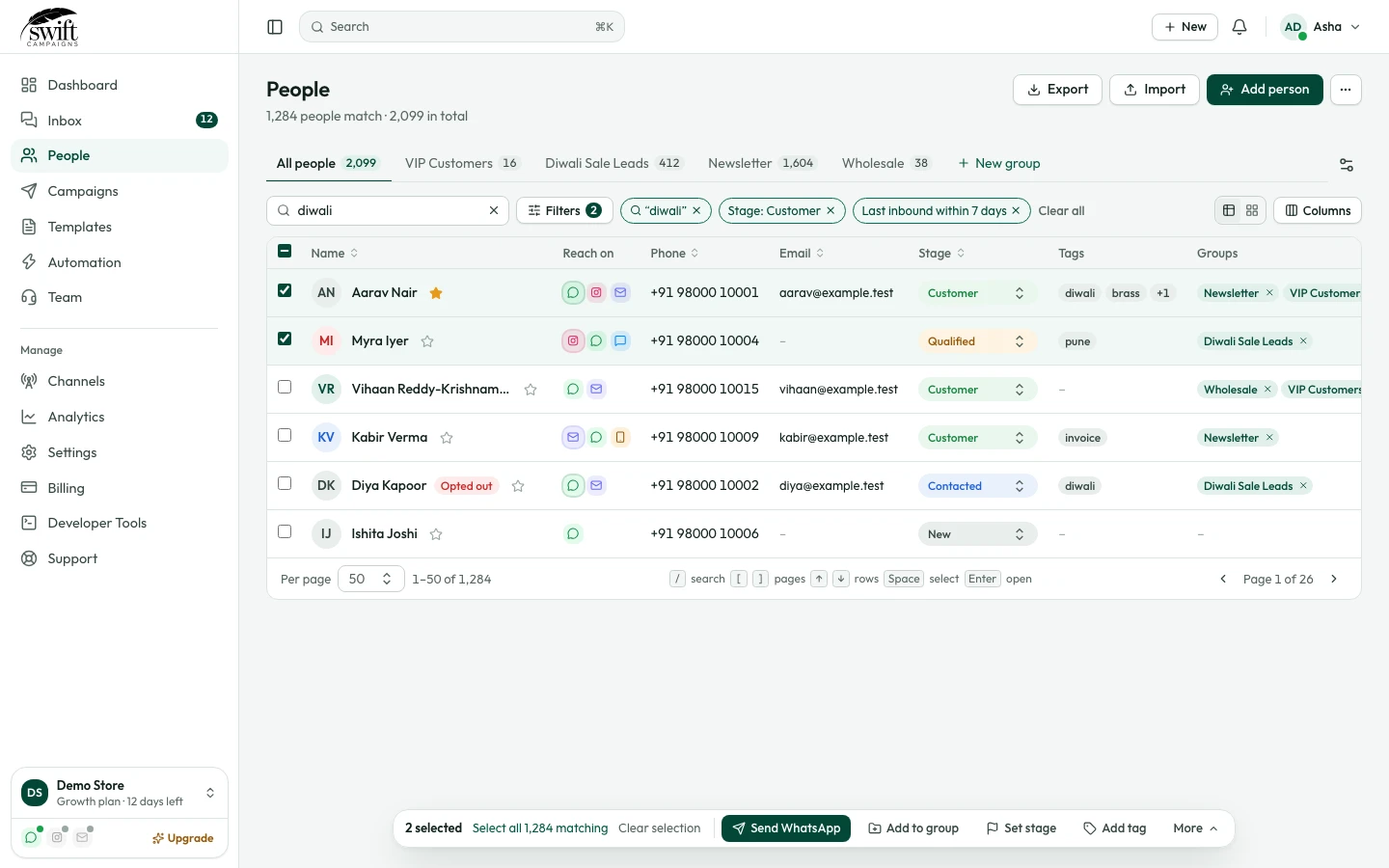
How to add a contact
Add one person with their phone, email, tags and groups.
People3 steps·1 min read
- 1
- 2
Fill in the details
Enter the first name and the phone number with country code (the flag picks the code). Email, stage, source, tags and address are optional.
app.swiftcampaigns.com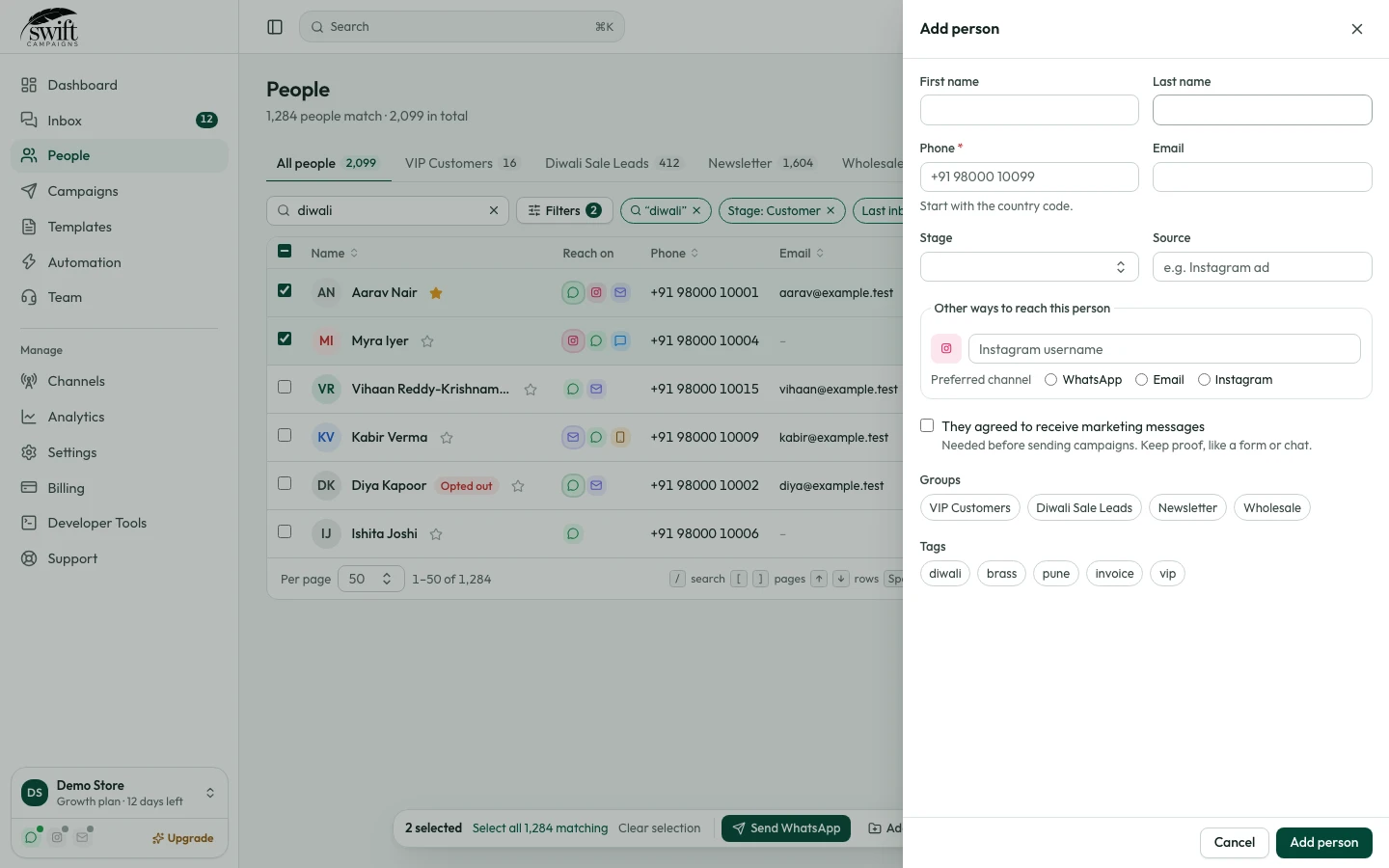
- 3
Pick groups and save
Click the groups this person belongs to (they can be in several) and press Add person.