How to organise contacts into groups
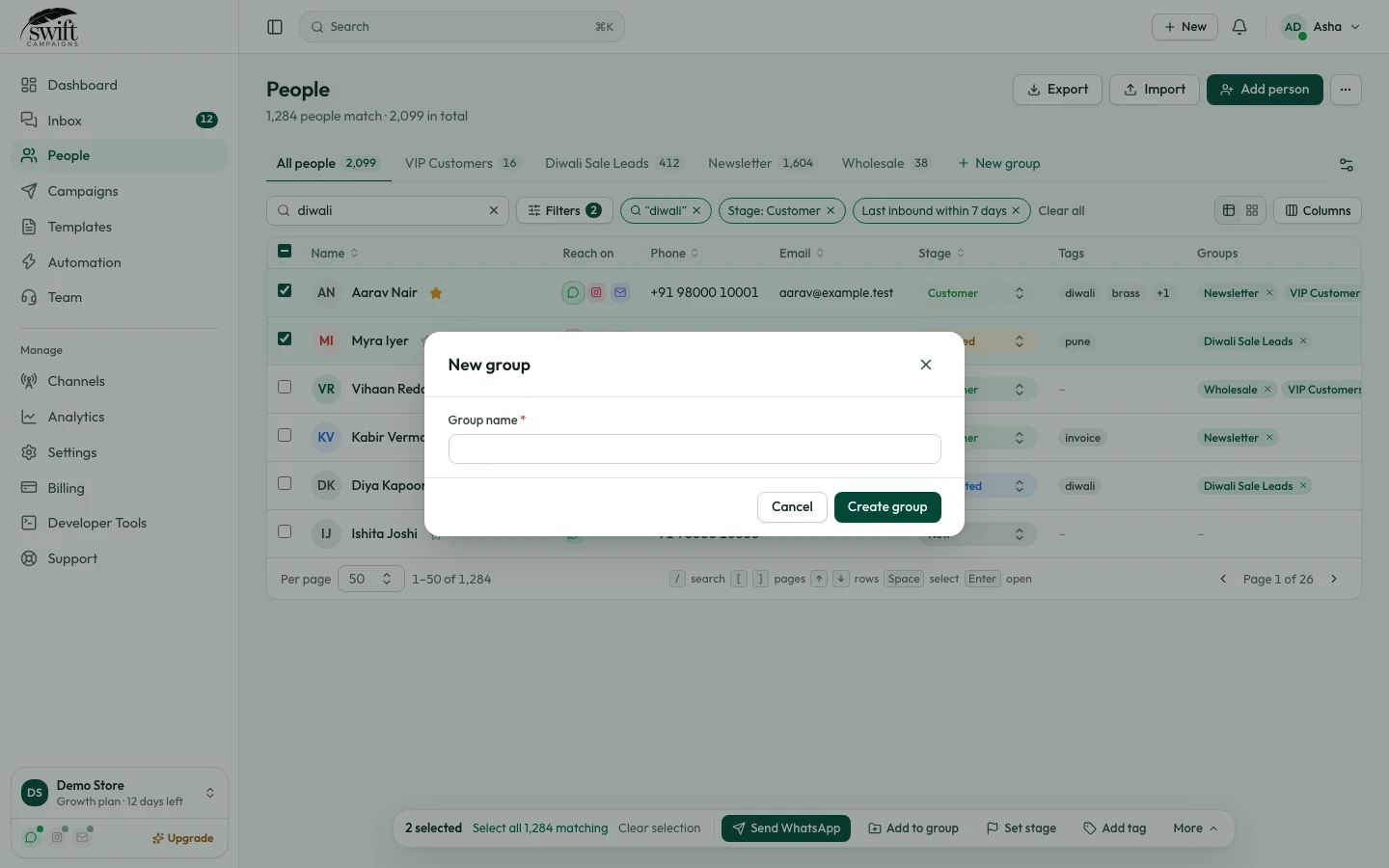
Create groups like "VIP Customers" and send campaigns to just them.
People3 steps·1 min read
- 1
- 2
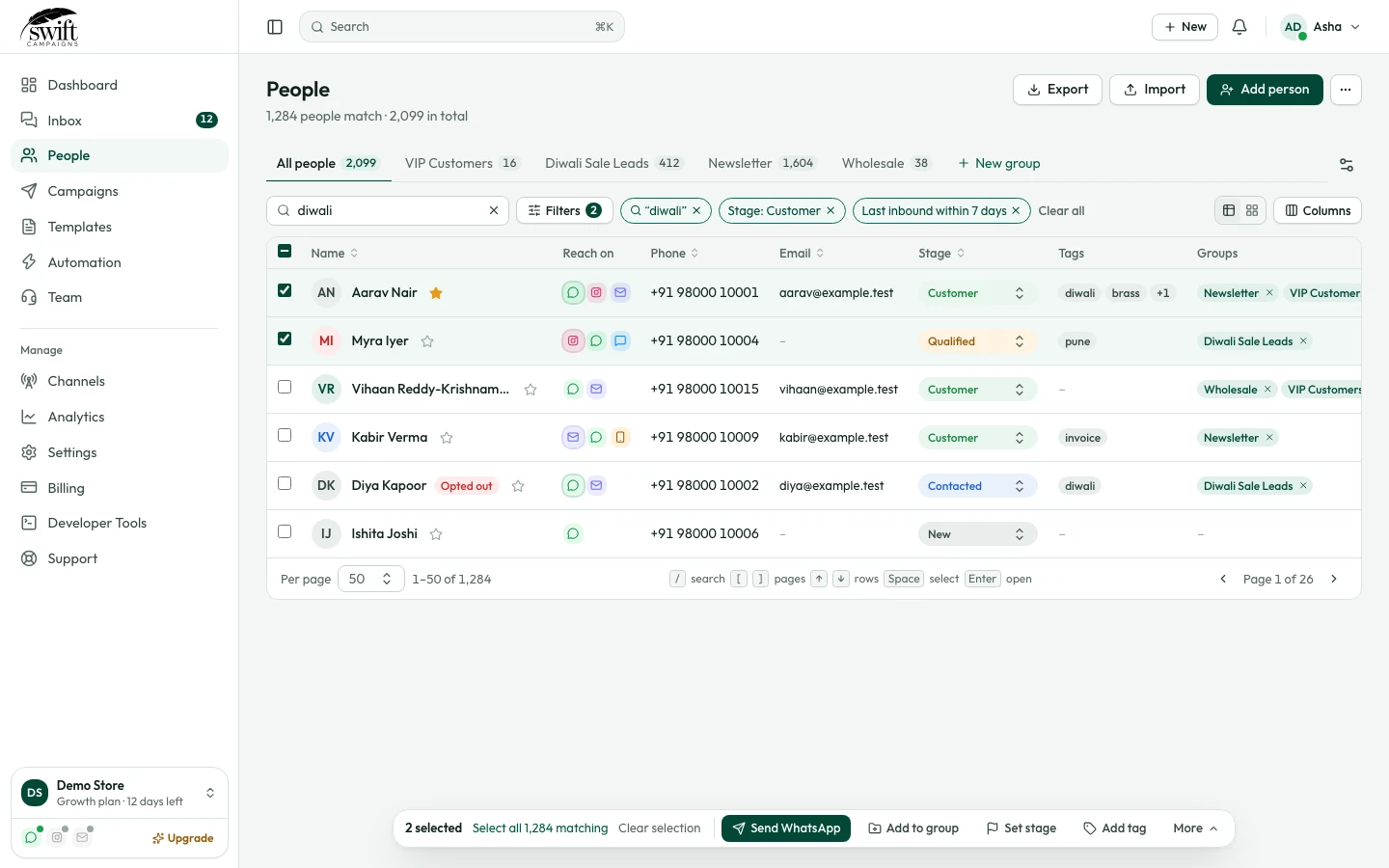
Add people to it
Open a person (or select several with the checkboxes) and tick the group. A person can be in many groups.
- 3
Filter by group
The tabs along the top show each group and how many people are in it. Pick a group when you send a campaign to message only them.
app.swiftcampaigns.com