
How to create an API key
Send messages and manage contacts from your own software.
Developers and integrations3 steps·2 min read
- 1
Generate a key
Go to Developer Tools → Access Token and click Generate API key.
app.swiftcampaigns.com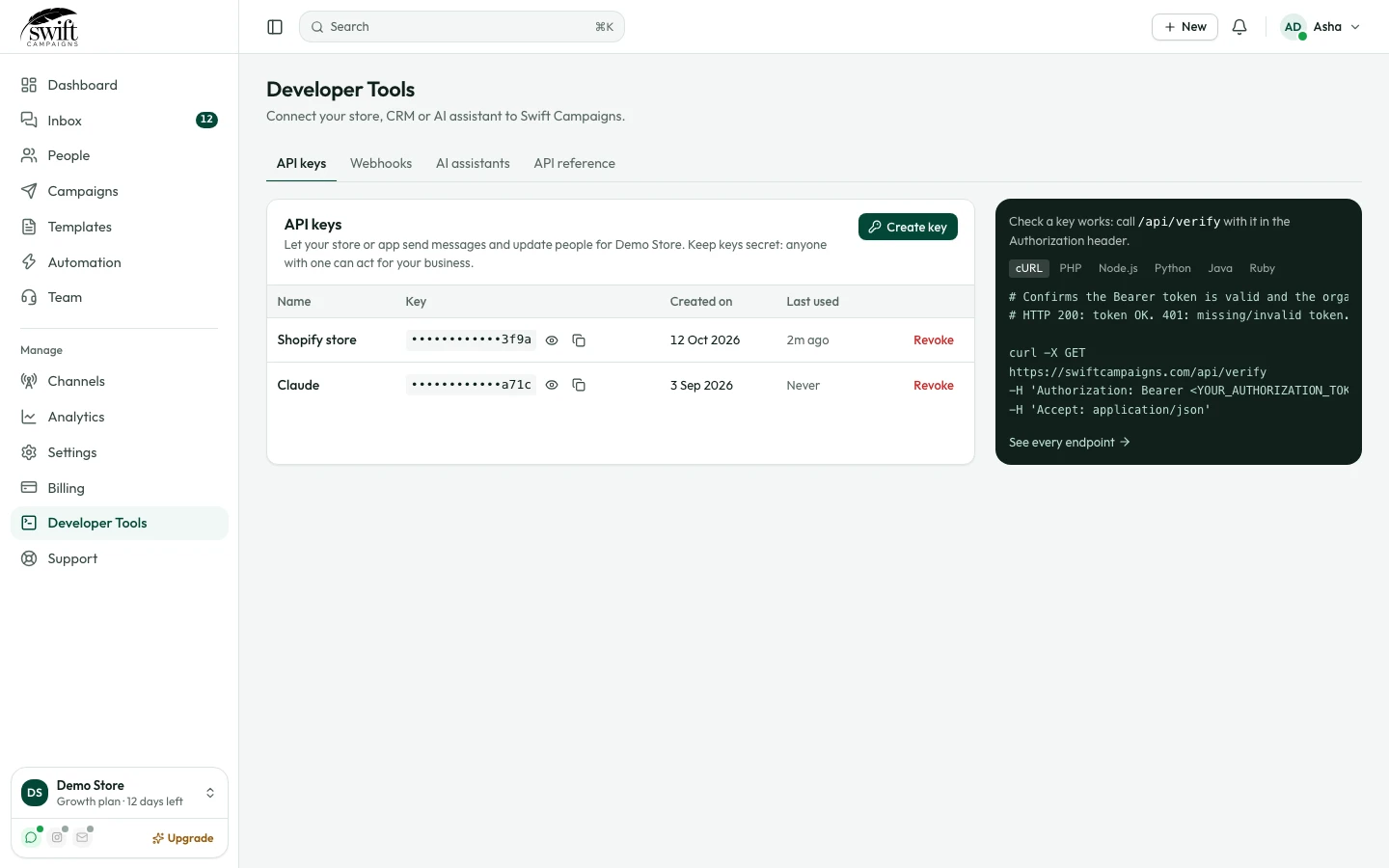
- 2
Copy it
Click the eye icon to reveal the key and the copy icon to copy it. Keep it secret: anyone with the key can act for your business.
- 3
Call the API
Send it as
Authorization: Bearer YOUR_KEY. The panel on the right has ready-made examples in cURL, PHP, Node.js, Python, Java and Ruby. Full reference: API documentation.