
Connect Claude or another AI assistant (MCP)
Let an AI assistant send messages, manage contacts and build automations for you.
Developers and integrations4 steps·3 min read
- 1
Add the connector
In Claude, open Settings → Connectors → Add custom connector and enter
https://swiftcampaigns.com/mcp. Other MCP clients use the same address. - 2
Sign in and pick your business
Log in to Swift Campaigns when asked and choose which business the assistant may work with.
- 3
Or use an API key
Clients without sign-in support can send an API key from Developer Tools as
Authorization: Bearer YOUR_KEY.app.swiftcampaigns.com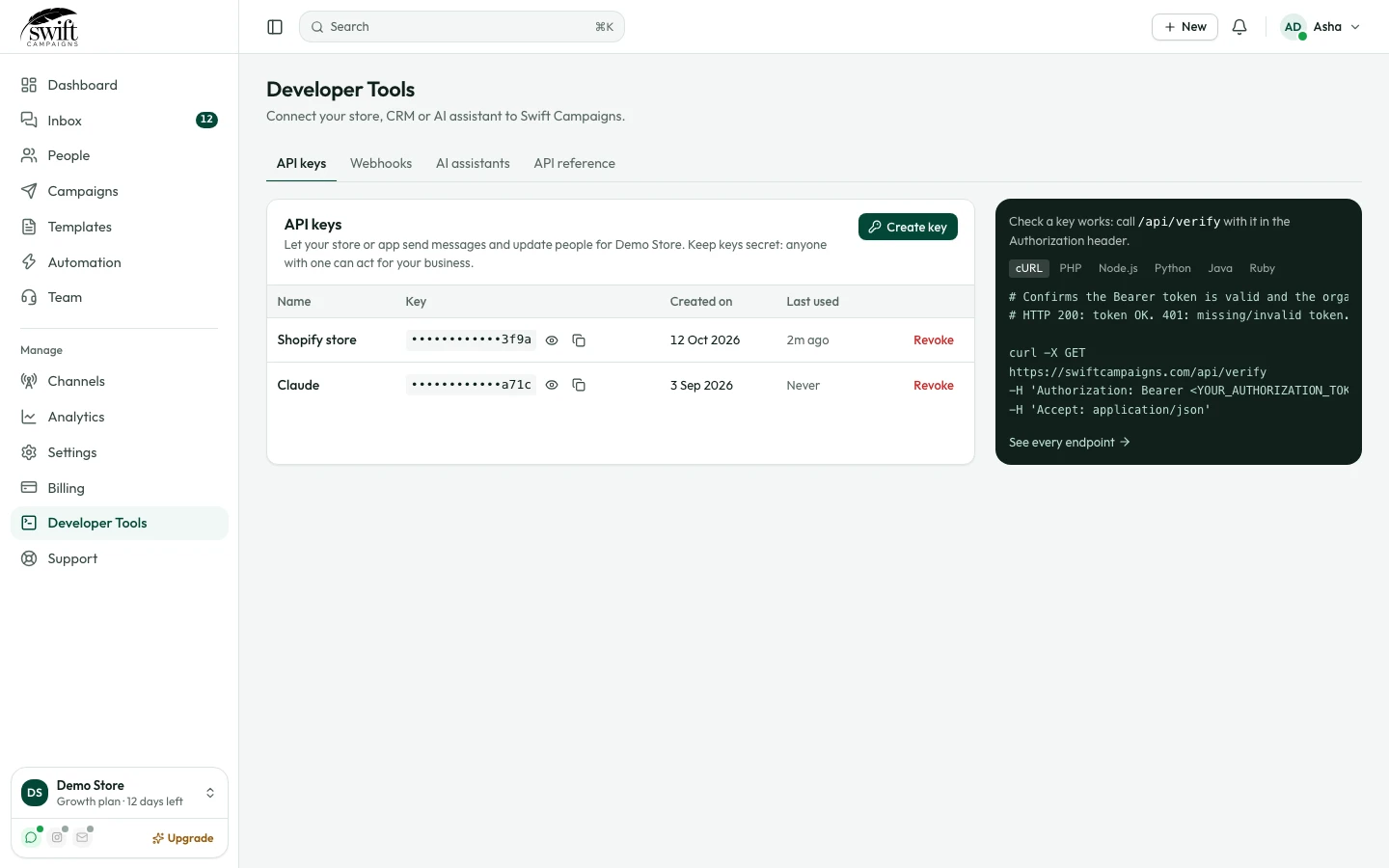
- 4
Ask in plain words
Try "Create an automation that replies to hi with a menu of three buttons" or "Send the order_shipped template to Neha". The assistant can create and edit templates, basic replies and automations, send messages and look up contacts.