
How to set up webhooks
Get real-time notifications in your app when messages arrive or contacts change.
Developers and integrations4 steps·3 min read
- 1
Add a webhook
Go to Developer Tools → Webhooks and click Add Webhook.
- 2
Choose URL and events
Enter your public
https://URL and tick the events you want, such as Message.Received, Message.Status.Update or Contact.Created. Click Save.app.swiftcampaigns.com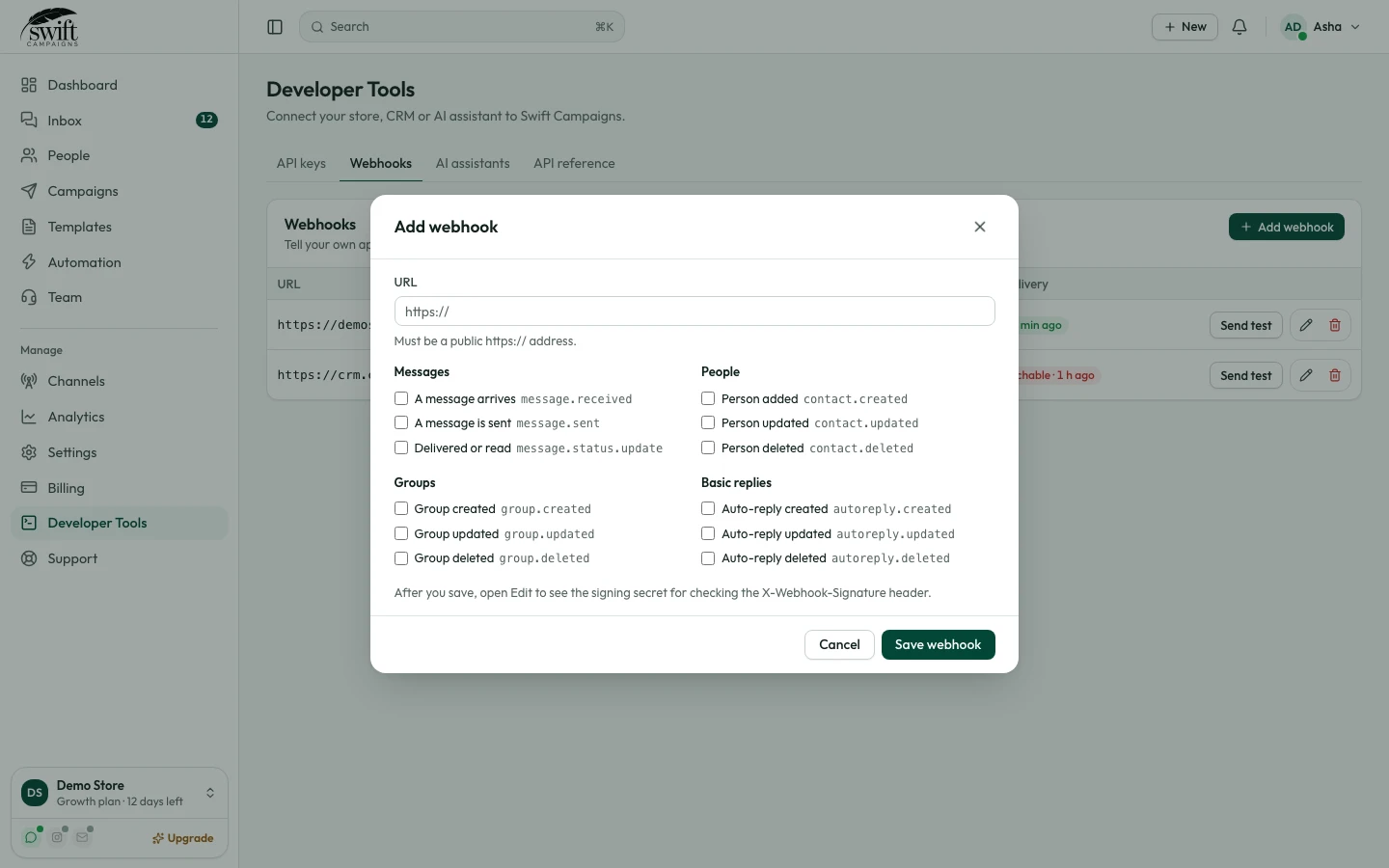
- 3
Test it
Click Test to send a sample event. The row shows the result of the last delivery.
app.swiftcampaigns.com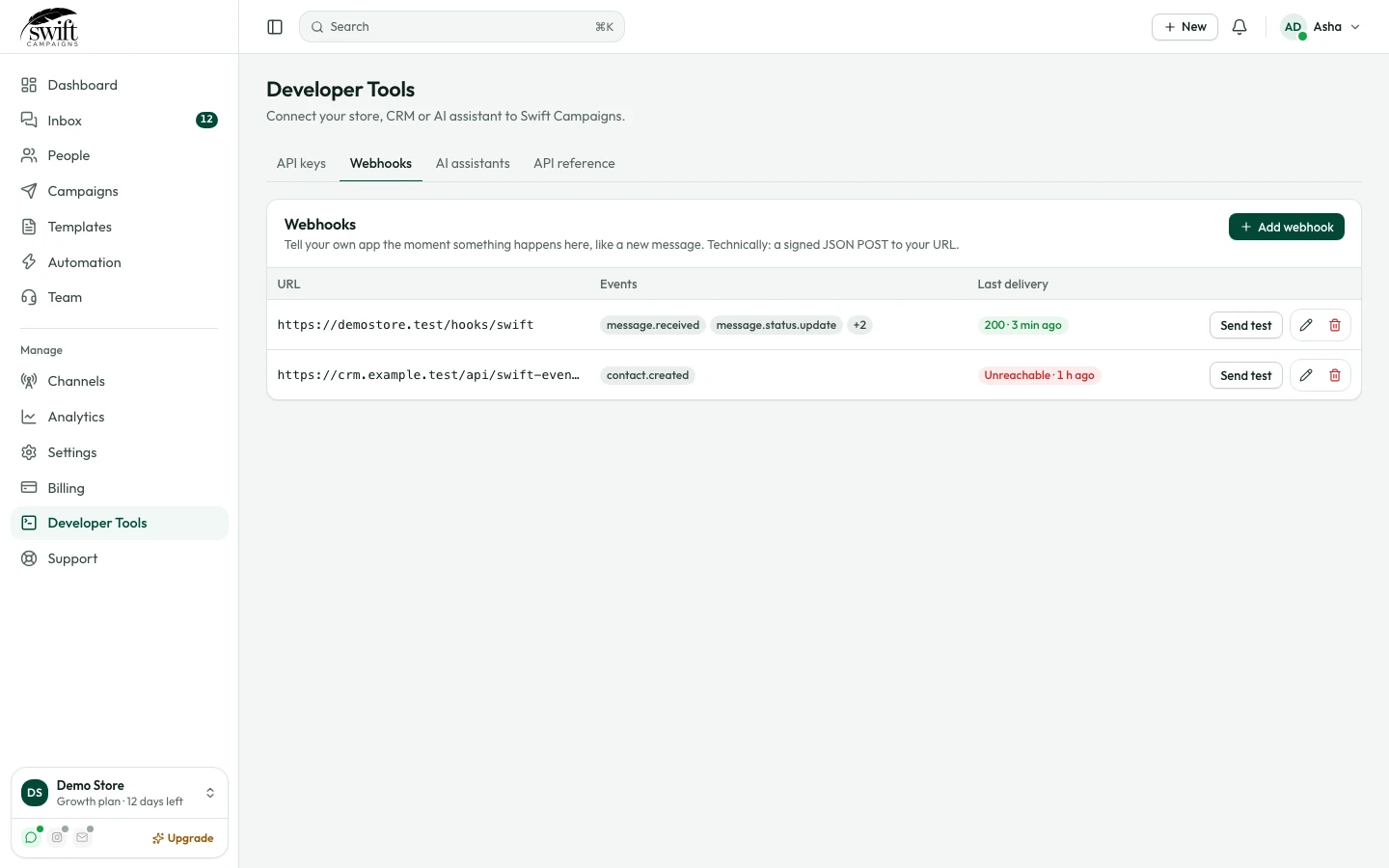
- 4
Verify the signature
Each request is a JSON POST with
event,timestampanddata. Check theX-Webhook-Signatureheader (sha256=HMAC of the body with your signing secret, shown under Edit) to be sure it came from us.