A quick tour of your dashboard
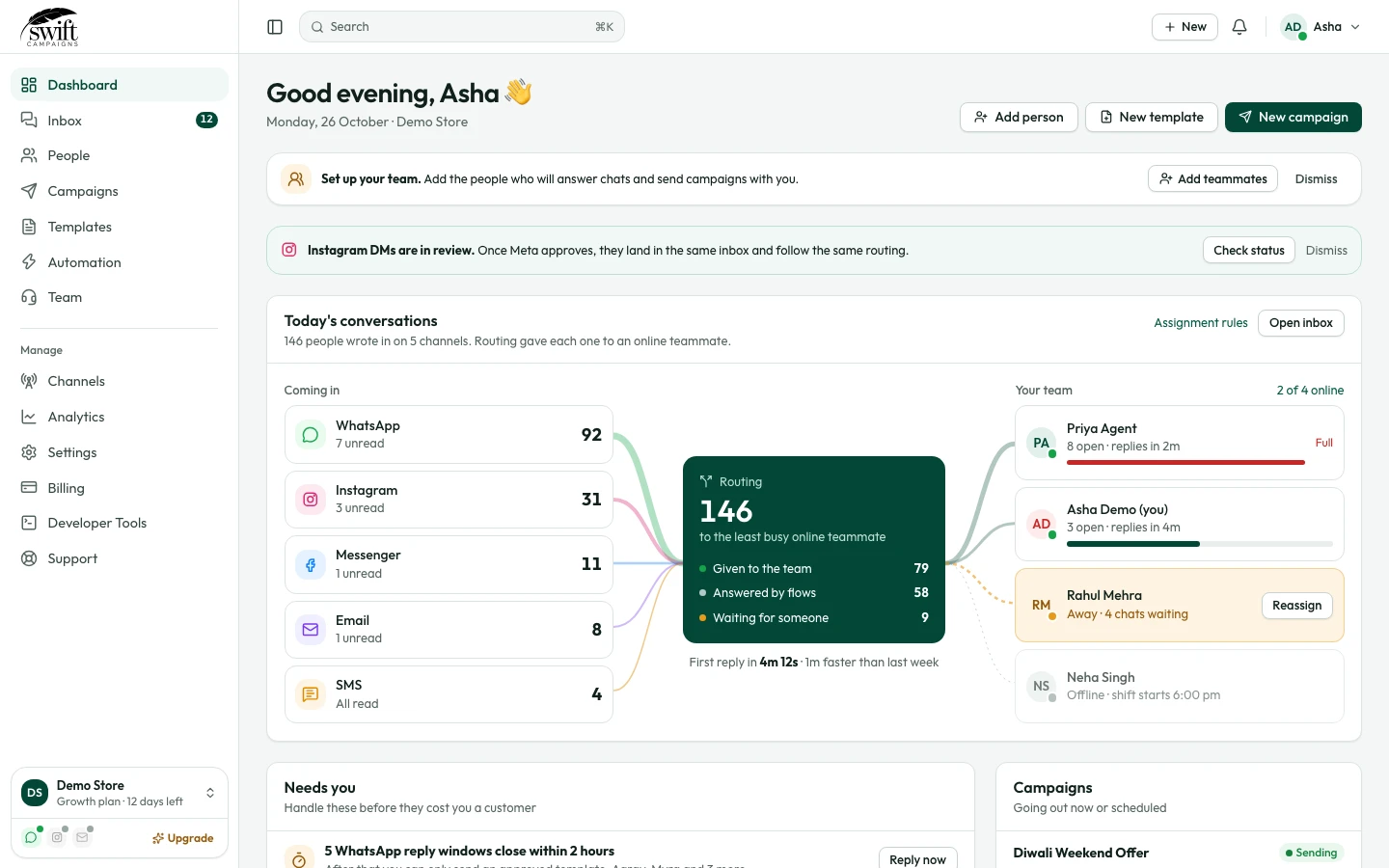
Find your way around Swift Campaigns: the menu, your numbers and the quick actions.
Getting started5 steps·2 min read
- 1
- 2
Read the numbers at the top
The cards show how many contacts, campaigns, templates and chats you have. Click View on any card to open that section.
- 3
Use the quick actions
Add Contact, Create Campaign and Create Template take you straight to the most common tasks.
- 4
Use the menu on the left
Chats is your shared WhatsApp inbox, People your contacts, Campaigns your broadcasts, Message Templates your Meta-approved messages and Automation your auto-replies and chatbots. The number next to Chats is your unread count.
- 5
Switch between businesses
If you manage more than one business, click Change next to Team at the bottom left to switch.