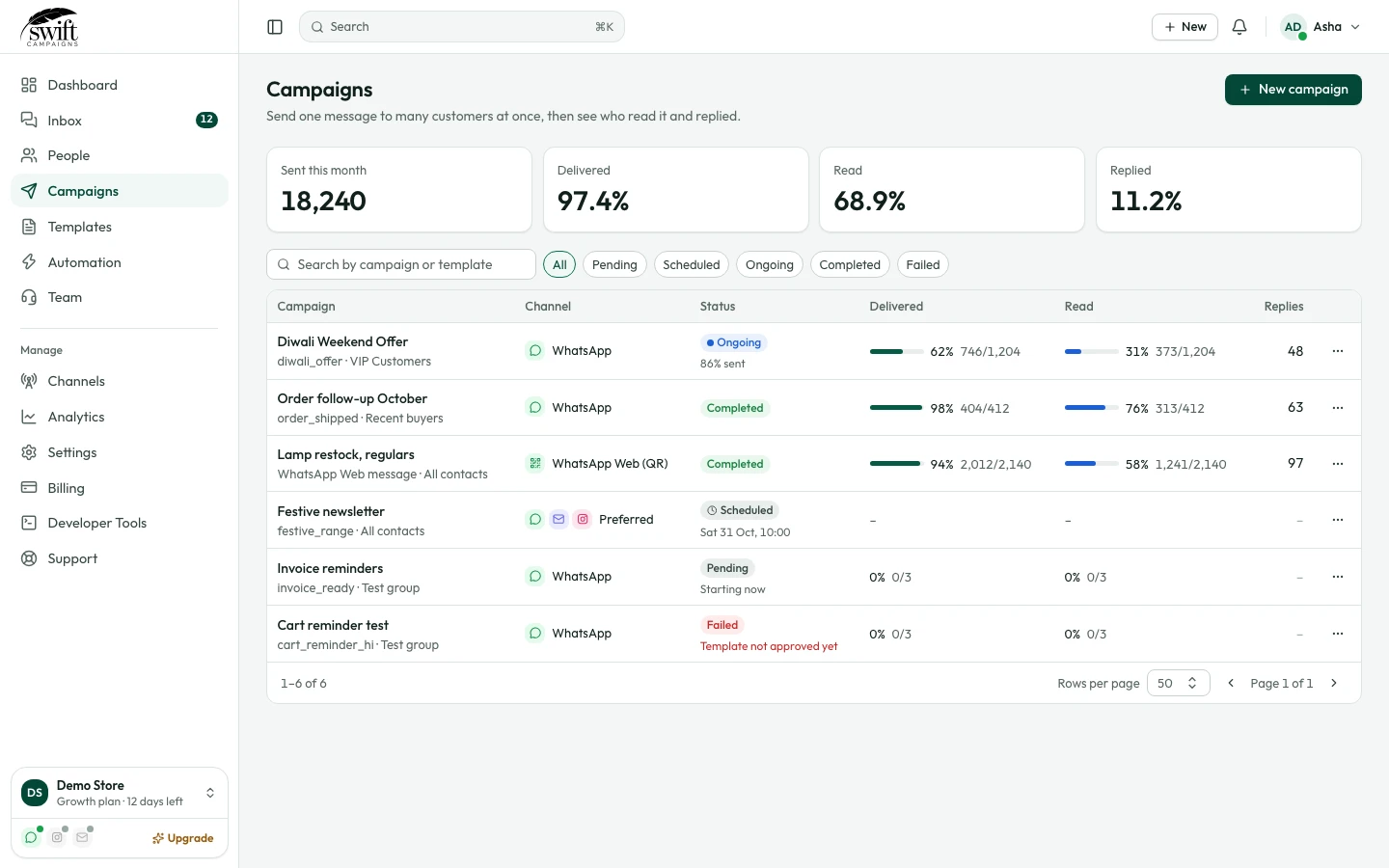
How to send a WhatsApp broadcast campaign
Send an approved template to a group of contacts, now or at a set time.
Templates and campaigns4 steps·3 min read
- 1
- 2
Choose what and who
Name the campaign, pick the WhatsApp number, the Template and who to Send To (all contacts or a group).
app.swiftcampaigns.com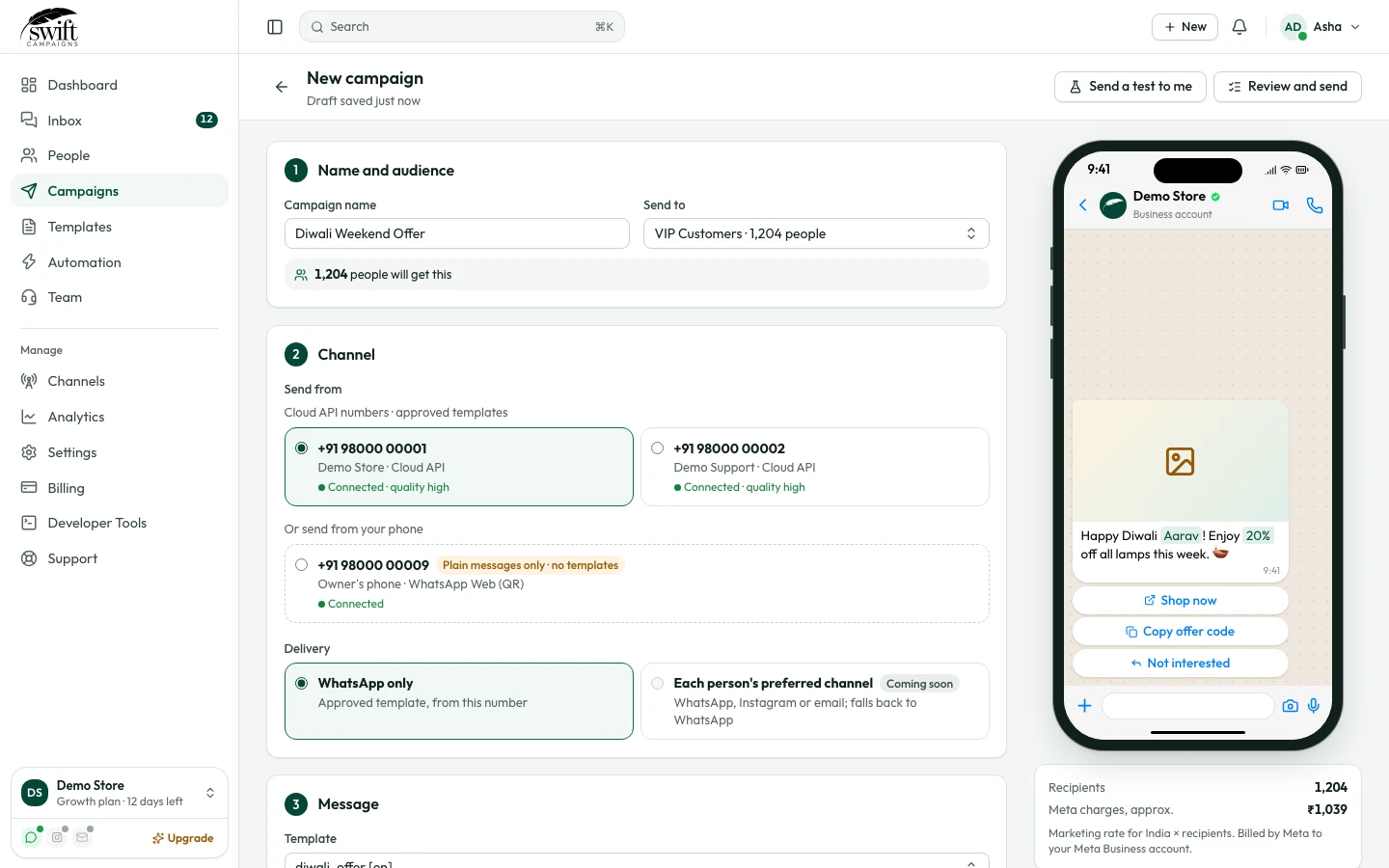
- 3
Personalise it
For each variable choose dynamic → contact first name (or another field) so every customer sees their own details, or static to send the same text to everyone. Upload the header image if the template has one.
- 4
Schedule or send now
Pick a Scheduled Time, or tick Skip scheduling & send immediately, then click Save.